Top 5 Productivity Hacks for Q4
Discover the five most effective productivity hacks to boost your output and efficiency during Q4.
Discover the five most effective productivity hacks to boost your output and efficiency during Q4.
Top 5 Productivity Hacks for Q4
Hey there, productivity enthusiasts! As we dive headfirst into Q4, the pressure often mounts. Deadlines loom, holiday plans start to form, and suddenly, your to-do list feels like it's multiplying faster than rabbits. But don't sweat it! This quarter doesn't have to be a chaotic sprint to the finish line. With the right strategies and a few smart tools, you can not only survive Q4 but absolutely thrive, hitting your goals and maybe even enjoying some well-deserved downtime. We're talking about boosting your output, sharpening your focus, and making every minute count. Let's get into some game-changing productivity hacks that are perfect for the final stretch of the year.
Time Management Techniques for Q4 Success
First up, let's talk about managing that precious commodity: time. It's easy to feel overwhelmed when you've got a million things pulling you in different directions. But with a few solid time management techniques, you can regain control and ensure your most important tasks get the attention they deserve.
The Pomodoro Technique for Focused Work Sprints
One of my all-time favorites is the Pomodoro Technique. It's super simple but incredibly effective. The idea is to break your work into focused 25-minute intervals, separated by short breaks. After four 'Pomodoros,' you take a longer break. This method helps you maintain focus, prevents burnout, and makes daunting tasks feel more manageable. It's like interval training for your brain! For Q4, when distractions are high, this structured approach can be a lifesaver. You can use a simple kitchen timer, or there are tons of apps out there. For instance, Focus To-Do (Free with premium features, available on iOS, Android, Web, Desktop) is a fantastic option that combines a Pomodoro timer with a to-do list. It's great for tracking your progress and seeing how much focused work you're actually getting done. Another popular choice is Forest (iOS: $3.99, Android: Free with in-app purchases), which gamifies the Pomodoro technique by growing a virtual tree during your focus sessions. If you leave the app, your tree dies, which is a surprisingly strong motivator!
Time Blocking for Strategic Planning
Another powerful technique is time blocking. Instead of just having a long list of tasks, you literally block out specific times in your calendar for specific activities. This means scheduling not just meetings, but also deep work sessions, email response times, and even breaks. It forces you to be intentional about how you spend your day and protects your most valuable time. For Q4, when project deadlines are tight, time blocking ensures you dedicate sufficient, uninterrupted time to critical tasks. Tools like Google Calendar (Free, Web, iOS, Android) or Outlook Calendar (Free with Microsoft 365, Web, iOS, Android, Desktop) are perfect for this. They allow you to visually map out your day and even set reminders. For more advanced users, Fantastical (Mac, iOS: Subscription based, around $4.99/month) offers natural language parsing and a beautiful interface, making time blocking even more intuitive. Its 'Openings' feature is also great for scheduling meetings without the back-and-forth.
Digital Tools for Enhanced Productivity
In today's world, there's an app for everything, and productivity is no exception. Leveraging the right digital tools can significantly streamline your workflow and reduce mental clutter. Let's look at some top contenders.
Task Management Systems for Organized Workflows
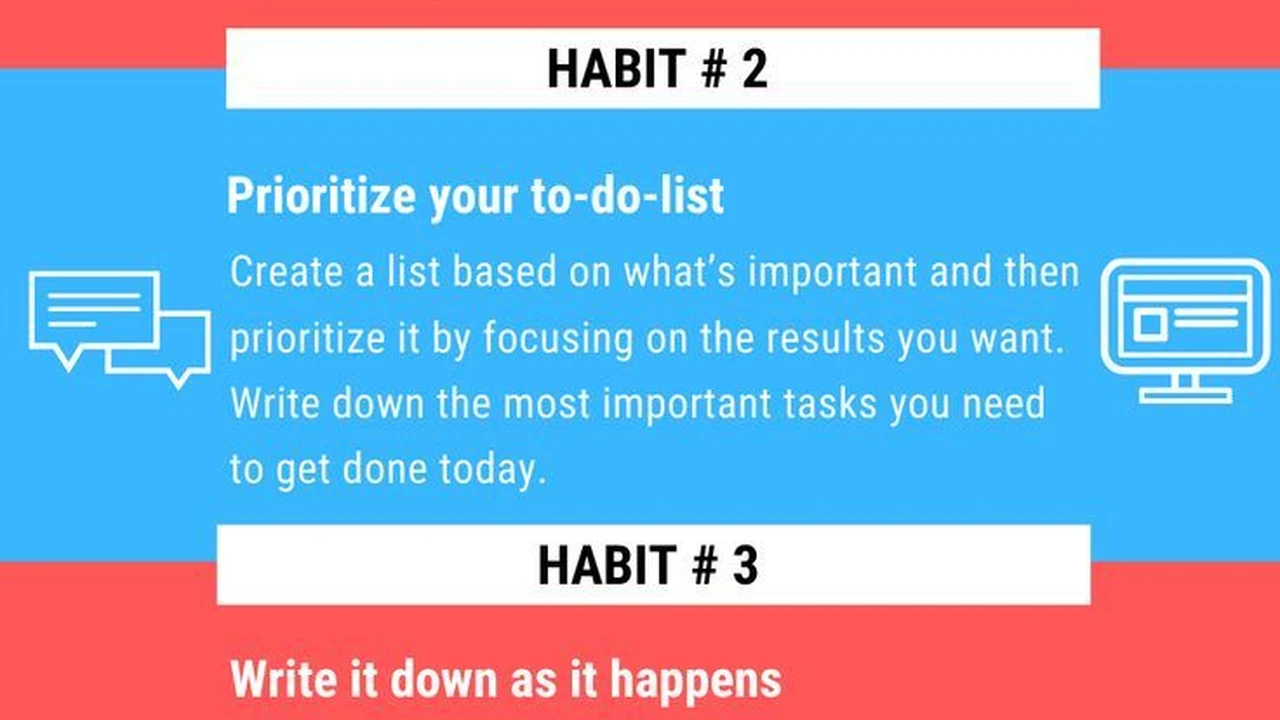
A solid task management system is non-negotiable, especially when Q4 brings a flurry of new projects and urgent requests. You need a central place to capture, organize, and prioritize everything. My top recommendation here is Todoist (Free with premium features, available on iOS, Android, Web, Desktop). It's incredibly versatile, allowing you to create projects, set due dates, add subtasks, and even collaborate with others. Its natural language input makes adding tasks super fast. For example, typing 'Send report to John tomorrow 9 am #projectX' will automatically set the due date and assign it to the correct project. The premium version (around $4/month) unlocks reminders, labels, and filters, which are incredibly useful for complex workflows. Another strong contender is Asana (Free for basic, premium plans starting around $10.99/user/month, Web, iOS, Android). While often used for team collaboration, individuals can use it effectively for personal task management. It offers different views (list, board, calendar) and robust project management features. For visual thinkers, Trello (Free for basic, premium plans starting around $5/user/month, Web, iOS, Android) with its Kanban board style is excellent. You can create boards for different projects and move tasks through stages like 'To Do,' 'Doing,' and 'Done.' It's fantastic for seeing your progress at a glance.
Note-Taking and Information Management for Quick Access
How many times have you wasted precious minutes searching for that one piece of information? A good note-taking and information management system can save you hours. Evernote (Free for basic, premium plans starting around $7.99/month, Web, iOS, Android, Desktop) has been a long-standing favorite for a reason. It allows you to capture notes in various formats (text, web clips, audio, images), organize them with notebooks and tags, and search everything instantly. It's like your second brain. For Q4, you might be gathering research for year-end reports or planning next year's strategy; Evernote keeps it all accessible. A newer, but equally powerful, option is Notion (Free for personal use, team plans starting around $8/user/month, Web, iOS, Android, Desktop). Notion is more than just a note-taking app; it's a customizable workspace where you can build wikis, databases, project trackers, and more. It has a steeper learning curve but offers unparalleled flexibility. You can literally build your entire productivity system within Notion. For those who prefer a simpler, more minimalist approach, Apple Notes (Free, iOS, macOS) or Google Keep (Free, Web, iOS, Android) are excellent for quick notes, checklists, and reminders, seamlessly integrated into their respective ecosystems.
Optimizing Your Work Environment and Habits
Your physical and mental environment plays a huge role in your productivity. Small tweaks to your workspace and daily habits can lead to significant improvements.
Minimizing Distractions for Deep Work
Distractions are productivity killers, especially in Q4 when everyone seems to be ramping up. The key is to create an environment conducive to deep, focused work. This means turning off non-essential notifications on your phone and computer. Consider using 'Do Not Disturb' modes. For web browsing, extensions like StayFocusd (Free, Chrome extension) or Freedom (Subscription based, around $6.99/month, Mac, Windows, iOS, Android) can block distracting websites and apps for set periods. Freedom is particularly powerful as it syncs across all your devices, preventing you from just picking up your phone when your computer is blocked. Physically, try to declutter your workspace. A clean desk often leads to a clear mind. If you work from home, designate a specific area for work to create a mental boundary between work and personal life. Noise-canceling headphones, like the Sony WH-1000XM5 (around $399) or Bose QuietComfort 45 (around $329), can be a game-changer if you're in a noisy environment, allowing you to create your own quiet bubble for concentration.
Batching Similar Tasks for Efficiency
Task switching is a huge drain on productivity. Every time you switch from one type of task to another (e.g., from writing a report to answering emails), your brain has to re-contextualize, which wastes time and energy. The solution? Batching similar tasks. Dedicate specific blocks of time to emails, another block for phone calls, another for creative work, and so on. For example, instead of checking emails every 10 minutes, set aside two or three specific times a day to process your inbox. This allows you to get into a flow state for each type of activity. This is particularly effective in Q4 when you might have a high volume of similar tasks, like processing invoices, reviewing documents, or preparing presentations. You'll find you complete these tasks much faster when you're not constantly interrupting your focus.
Leveraging Automation and Delegation
Why do something manually if a machine can do it for you? And why do something at all if someone else can do it better or faster? Automation and delegation are powerful tools for freeing up your time for higher-value activities.
Automating Repetitive Tasks with Smart Tools
Think about the repetitive tasks you do every day or week. Can any of them be automated? For example, if you frequently save email attachments to a specific cloud folder, tools like Zapier (Free for basic, premium plans starting around $20/month) or IFTTT (If This Then That) (Free for basic, premium plans starting around $2.50/month) can connect different apps and automate these workflows. You could set up a 'Zap' to automatically save all attachments from a specific sender to Google Drive, or to add new rows to a Google Sheet when a form is submitted. For Q4, this could mean automating data entry, report generation, or even social media scheduling. For email management, consider using rules in Gmail or Outlook to automatically sort incoming messages, archive newsletters, or flag urgent emails. This reduces the time you spend manually organizing your inbox. Even simple things like using text expanders (e.g., TextExpander, around $3.33/month, Mac, Windows, iOS) for frequently typed phrases or email responses can save a surprising amount of time over the quarter.
Effective Delegation for Workload Management
If you're in a position to delegate, do it! Many professionals, especially in Q4, try to do everything themselves, leading to burnout and missed deadlines. Identify tasks that can be handled by others, whether it's a team member, a virtual assistant, or even a freelancer. Clearly communicate the task, the desired outcome, and the deadline. Provide all necessary resources and trust your team. For example, if you're swamped with administrative tasks, consider hiring a virtual assistant from platforms like Upwork or Fiverr (costs vary widely based on freelancer and task). Even if it's a small investment, the time you free up can be used for strategic work that only you can do, ultimately leading to greater overall productivity and impact for Q4 and beyond. Remember, delegation isn't about offloading undesirable tasks; it's about optimizing resource allocation and empowering others.
Prioritization and Goal Setting for Impact
Finally, none of these hacks matter if you're not working on the right things. Effective prioritization and clear goal setting are the bedrock of true productivity.
The Eisenhower Matrix for Urgent and Important Tasks
The Eisenhower Matrix is a fantastic tool for prioritizing tasks. It divides tasks into four quadrants: Urgent/Important (Do First), Not Urgent/Important (Schedule), Urgent/Not Important (Delegate), and Not Urgent/Not Important (Eliminate). In Q4, it's easy to get caught up in urgent but not important tasks (like endless meetings or responding to every email immediately). This matrix helps you focus on what truly matters and avoid getting sidetracked. For example, preparing for a year-end review is Important but Not Urgent (schedule it), while a last-minute client request might be Urgent and Important (do it now). Regularly reviewing your tasks through this lens ensures you're always working on high-impact activities. You can implement this with a simple pen and paper, or use features within task managers like Todoist or Asana by tagging tasks with priority levels.
Setting SMART Goals for Clear Direction
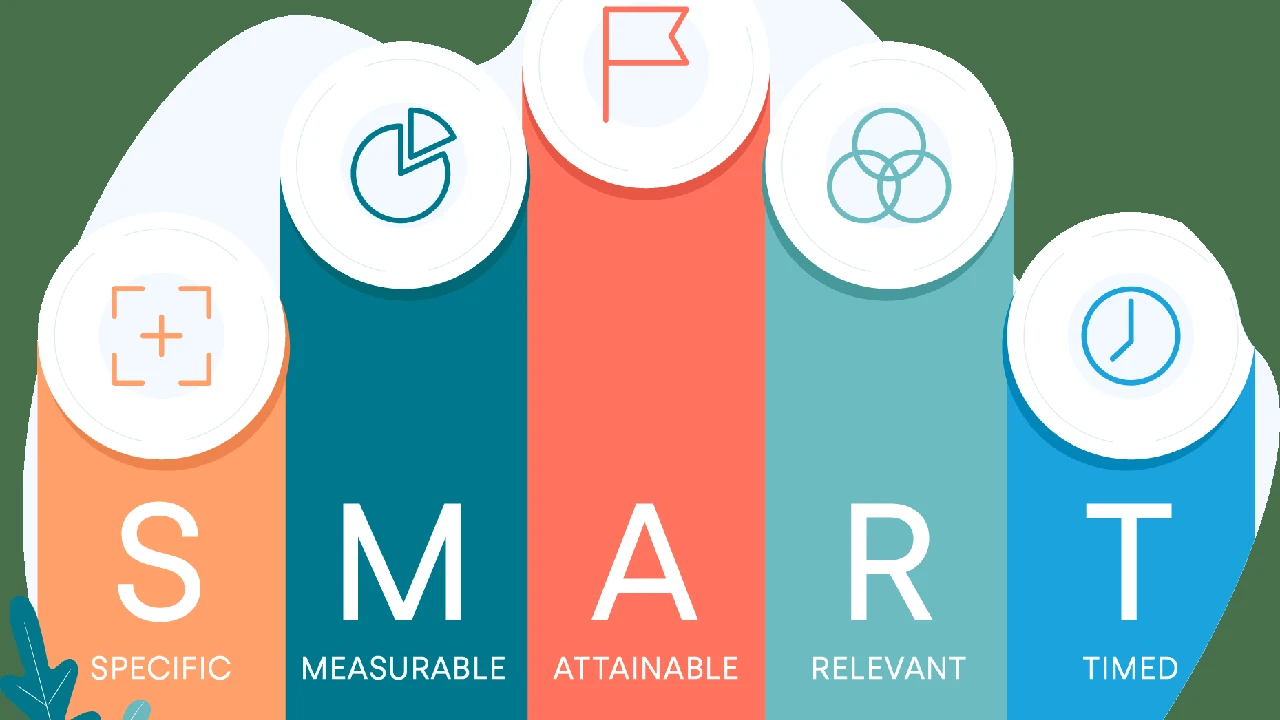
Before you even start applying productivity hacks, you need to know what you're trying to achieve. Setting SMART goals (Specific, Measurable, Achievable, Relevant, Time-bound) provides clear direction and motivation. For Q4, this might mean setting a specific revenue target, completing a particular project phase, or acquiring a new skill. Instead of 'be more productive,' aim for 'complete the Q4 sales report by November 15th with 95% accuracy.' This clarity helps you identify which tasks are truly important and which can be deprioritized or eliminated. Regularly review your SMART goals to ensure you're on track and adjust as needed. Tools like ClickUp (Free for basic, premium plans starting around $5/user/month, Web, iOS, Android, Desktop) or Monday.com (Plans starting around $8/user/month, Web, iOS, Android, Desktop) are excellent for setting and tracking goals, especially for teams, offering dashboards and progress tracking features that keep everyone aligned and motivated through the final push of the year.
By implementing these five productivity hacks – mastering time management, leveraging digital tools, optimizing your environment, embracing automation and delegation, and prioritizing with purpose – you're not just surviving Q4; you're setting yourself up for a powerful finish and a strong start to the new year. Pick one or two to start with, integrate them into your routine, and watch your efficiency soar!
:max_bytes(150000):strip_icc()/277019-baked-pork-chops-with-cream-of-mushroom-soup-DDMFS-beauty-4x3-BG-7505-5762b731cf30447d9cbbbbbf387beafa.jpg)