Comparing Remote Work vs Office Work Productivity
An analysis of productivity levels in remote work versus traditional office environments.
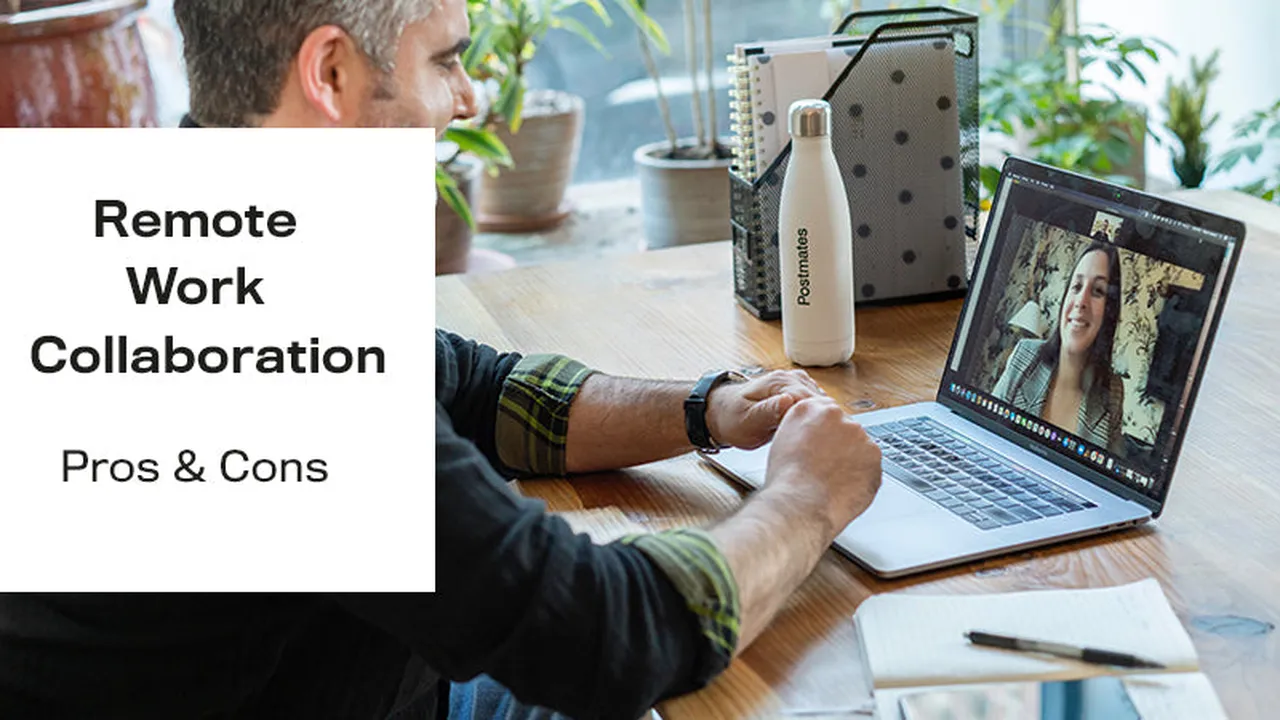
An analysis of productivity levels in remote work versus traditional office environments.
Comparing Remote Work vs Office Work Productivity
The Great Debate Remote Work Productivity vs Office Productivity
For years, the traditional office environment was the undisputed king of productivity. The logic was simple: gather everyone in one place, foster collaboration, and keep a watchful eye on output. Then came the digital revolution, followed by a global pandemic, and suddenly, remote work wasn't just a niche concept but a widespread reality. This shift ignited a fierce debate: are we more productive working from home, or does the office still hold the key to peak performance? This isn't a simple black-and-white answer, as both models present unique advantages and disadvantages that significantly impact individual and team productivity.
Let's dive deep into the nuances of each work model, examining the factors that influence productivity, the tools that enable it, and the real-world implications for businesses and employees alike. We'll explore various scenarios, from the bustling open-plan office to the quiet home study, and consider how different personalities and job roles might thrive in one setting over another.
Understanding Productivity Metrics Measuring Output in Different Environments
Before we can compare, we need to define what we're measuring. Productivity isn't just about hours logged; it's about output, efficiency, and quality. In an office setting, productivity might be measured by visible activity, meeting attendance, or direct supervision. For remote work, the focus shifts more towards deliverables, project milestones, and self-management. This often requires a more robust system for tracking progress and ensuring accountability.
Key Performance Indicators KPIs for Remote and Office Teams
- Task Completion Rate: How many assigned tasks are completed within a given timeframe? This is a universal metric, but its tracking mechanism might differ.
- Project Delivery Timelines: Are projects being completed on schedule? Delays can indicate productivity issues in either environment.
- Quality of Work: Beyond just completion, is the work meeting the required standards? This often involves peer reviews or client feedback.
- Employee Engagement: Engaged employees are generally more productive. Surveys and feedback sessions can gauge this.
- Revenue Generated (for sales/client-facing roles): A direct measure of output for certain positions.
- Customer Satisfaction: For service-oriented roles, happy customers often correlate with productive employees.
The challenge lies in standardizing these metrics across different work models to allow for a fair comparison. Some companies use time-tracking software, while others rely on project management tools with built-in reporting features.
The Office Environment Advantages and Disadvantages for Productivity
The traditional office has long been lauded for its ability to foster collaboration, spontaneous interactions, and a clear separation between work and home life. However, it also comes with its own set of challenges that can hinder productivity.
Advantages of Office Work for Productivity
- Enhanced Collaboration and Communication: Face-to-face interactions can lead to quicker problem-solving, brainstorming, and team cohesion. Spontaneous discussions at the water cooler or during lunch can spark new ideas.
- Clear Boundaries Between Work and Home: For many, the commute acts as a mental transition, allowing them to fully immerse themselves in work during office hours and then switch off when they return home.
- Access to Resources and Equipment: Offices typically provide all necessary equipment, high-speed internet, and IT support, minimizing technical disruptions.
- Easier Supervision and Mentorship: Managers can more easily observe performance, provide immediate feedback, and mentor junior employees.
- Social Connection and Company Culture: Being physically present can strengthen team bonds, foster a sense of belonging, and reinforce company culture.
Disadvantages of Office Work for Productivity
- Commute Time and Stress: Long commutes can be a significant drain on time and energy, leading to reduced productivity even before the workday begins.
- Distractions and Interruptions: Open-plan offices, frequent meetings, and constant interruptions from colleagues can severely impact focus and deep work.
- Rigid Schedules: Fixed office hours may not align with everyone's peak productivity times, leading to wasted hours for some.
- Office Politics and Interpersonal Conflicts: Proximity can sometimes lead to more frequent interpersonal issues that can distract from work.
- Cost and Environmental Impact: Offices require significant overhead (rent, utilities) and contribute to carbon emissions through commuting.
The Remote Work Environment Advantages and Disadvantages for Productivity
Remote work, while offering unparalleled flexibility, also presents a unique set of challenges that can impact productivity if not managed effectively.
Advantages of Remote Work for Productivity
- Increased Flexibility and Autonomy: Employees can often set their own hours, work from anywhere, and design a workspace that suits their needs, leading to better work-life balance and reduced stress.
- Reduced Commute Time and Costs: Eliminating the commute frees up significant time and saves money on transportation, allowing for more rest or personal activities.
- Fewer Office Distractions: For many, a quiet home environment allows for more focused, uninterrupted deep work, leading to higher quality output.
- Access to a Wider Talent Pool: Companies are no longer limited by geography, allowing them to hire the best talent from anywhere in the world.
- Potential for Higher Job Satisfaction: The autonomy and flexibility often lead to increased job satisfaction and retention.
Disadvantages of Remote Work for Productivity
- Blurred Work-Life Boundaries: The lines between personal and professional life can become indistinct, leading to overwork and burnout.
- Potential for Isolation and Loneliness: Lack of in-person interaction can lead to feelings of isolation, impacting mental well-being and team cohesion.
- Communication Challenges: Misunderstandings can arise due to a lack of non-verbal cues, and spontaneous collaboration can be harder to facilitate.
- Technical Issues and Home Distractions: Employees might face unreliable internet, unsuitable home office setups, or family distractions.
- Difficulty in Monitoring and Accountability: Managers need to adapt their leadership styles to trust and empower remote teams, focusing on results rather than presence.
Tools and Technologies Enabling Productivity in Both Models
Regardless of whether you're in the office or working remotely, technology plays a crucial role in enabling and enhancing productivity. The right tools can bridge geographical gaps, streamline workflows, and ensure seamless communication.
Communication and Collaboration Tools for Hybrid and Remote Teams
Effective communication is the backbone of any productive team. For remote and hybrid setups, robust digital communication tools are non-negotiable. These tools facilitate real-time conversations, file sharing, and project discussions.
- Slack: A popular choice for instant messaging, channel-based communication, and integrations with numerous other apps. It's excellent for quick queries and team announcements.
- Microsoft Teams: A comprehensive platform offering chat, video conferencing, file storage, and integration with Microsoft 365 applications. Ideal for organizations already invested in the Microsoft ecosystem.
- Zoom: While primarily known for video conferencing, Zoom also offers chat and webinar functionalities. Essential for virtual meetings and presentations.
- Google Meet: Google's video conferencing solution, seamlessly integrated with Google Workspace, making it convenient for teams using Gmail, Calendar, and Drive.
Project Management Software for Tracking Progress and Tasks
To ensure tasks are completed on time and projects stay on track, project management software is indispensable. These tools provide a centralized hub for task assignment, progress tracking, and deadline management.
- Asana: Highly visual and flexible, Asana allows teams to manage projects, tasks, and workflows. It's great for task assignment, setting deadlines, and tracking progress. Pricing: Free for basic, Premium from $10.99/user/month.
- Trello: A Kanban-style project management tool that uses boards, lists, and cards to organize tasks. Simple, intuitive, and great for visual thinkers. Pricing: Free for basic, Standard from $5/user/month.
- Jira: Primarily used by software development teams for agile project management, but adaptable for other uses. Offers robust tracking, reporting, and workflow customization. Pricing: Free for up to 10 users, Standard from $7.50/user/month.
- Monday.com: A highly customizable work OS that allows teams to build, run, and scale their workflows. Offers a wide range of templates for various industries and uses. Pricing: Basic from $8/user/month.
Time Management and Focus Tools for Individual Productivity
Beyond team tools, individual productivity relies on effective time management and the ability to minimize distractions. These tools help individuals stay focused and manage their workday efficiently.
- Forest: A unique app that helps you stay focused by growing a virtual tree. If you leave the app before your timer is up, your tree dies. It gamifies focus. Pricing: Free (iOS/Android), Chrome extension is free.
- Toggl Track: A simple yet powerful time tracking tool that allows you to track time spent on tasks and projects. Great for understanding where your time goes and for client billing. Pricing: Free for basic, Starter from $9/user/month.
- RescueTime: Automatically tracks your time spent on websites and applications, providing insights into your digital habits and helping you block distracting sites. Pricing: Free for basic, Premium from $6.50/month.
- Pomodoro Timer Apps (e.g., Focus To-Do): Based on the Pomodoro Technique, these apps help you work in focused bursts (e.g., 25 minutes) followed by short breaks. Many free options available.
Virtual Whiteboards and Brainstorming Tools for Creative Collaboration
When physical whiteboards aren't an option, virtual alternatives step in to facilitate brainstorming, mind mapping, and collaborative ideation.
- Miro: A versatile online collaborative whiteboard platform that allows teams to brainstorm, plan, and design together in real-time. Offers a vast library of templates. Pricing: Free for basic, Team from $10/user/month.
- Mural: Similar to Miro, Mural provides a digital workspace for visual collaboration, ideation, and workshops. Known for its user-friendly interface. Pricing: Free for basic, Team+ from $12/user/month.
- Google Jamboard: Google's digital whiteboard, integrated with Google Workspace. Simple and effective for quick brainstorming sessions within a Google ecosystem. Pricing: Free with Google Workspace.
Hybrid Work Models The Best of Both Worlds
Recognizing the strengths and weaknesses of both fully remote and fully office-based models, many organizations are now adopting a hybrid approach. This typically involves employees spending a few days in the office and a few days working remotely.
Benefits of a Hybrid Approach for Productivity and Employee Well-being
- Flexibility and Structure: Offers employees the flexibility of remote work while retaining the benefits of in-person collaboration and social connection.
- Improved Work-Life Balance: Reduces commute stress on certain days and allows for more personal time, while still providing a clear separation between work and home on office days.
- Enhanced Collaboration: Teams can schedule in-office days for critical meetings, brainstorming sessions, and team-building activities, reserving remote days for focused individual work.
- Wider Talent Pool: Still allows companies to recruit from a broader geographical area, albeit with some consideration for occasional office visits.
- Reduced Office Costs: Companies can potentially downsize office space, leading to significant cost savings.
Challenges of Implementing a Hybrid Model
- Ensuring Equity: Preventing a two-tier system where in-office employees receive preferential treatment or have better access to opportunities.
- Maintaining Culture: Building a cohesive company culture when not everyone is physically present all the time.
- Technology Infrastructure: Ensuring seamless technology for both in-office and remote workers, including meeting room tech that supports hybrid meetings.
- Managerial Training: Equipping managers with the skills to lead and support a hybrid workforce effectively.
Case Studies and Real-World Examples Productivity Shifts
Numerous companies have reported varying experiences with remote and hybrid work. Some have seen significant productivity gains, while others have struggled. The key often lies in how well the transition was managed and the nature of the work itself.
Companies Thriving in Remote/Hybrid Setups
- GitLab: A pioneer in all-remote work, GitLab has built a highly successful company with thousands of employees across the globe. Their extensive remote work handbook is a testament to their commitment and success. They emphasize asynchronous communication and clear documentation.
- Spotify: Adopted a 'Work From Anywhere' model, allowing employees to choose where they work best. They focus on output and trust, providing flexibility while maintaining strong team connections through intentional in-person gatherings.
- Microsoft: While not fully remote, Microsoft has embraced a hybrid model, investing heavily in technology like Microsoft Teams to facilitate seamless collaboration between in-office and remote employees. They've reported increased employee satisfaction and productivity in many areas.
Factors Contributing to Success in Remote/Hybrid Productivity
- Clear Communication Protocols: Establishing guidelines for synchronous vs. asynchronous communication.
- Investment in Technology: Providing employees with the right tools and ensuring robust IT support.
- Focus on Outcomes, Not Hours: Shifting management's focus from 'time spent' to 'results achieved'.
- Trust and Autonomy: Empowering employees to manage their own time and work processes.
- Intentional Culture Building: Creating opportunities for social connection and team bonding, both virtually and in-person.
- Managerial Training: Equipping leaders with the skills to manage distributed teams effectively.
Optimizing Your Workspace for Maximum Productivity Remote and Office
Whether you're in a corporate office or a home office, your physical environment significantly impacts your ability to focus and be productive. Creating an optimized workspace is crucial.
Ergonomics and Comfort for Sustained Productivity
- Ergonomic Chair: Invest in a good chair that supports your back and promotes good posture. This prevents discomfort and fatigue.
- Adjustable Desk (Standing Desk): Allows you to switch between sitting and standing, which can improve circulation, reduce back pain, and boost energy levels.
- External Monitor(s): Multiple screens can significantly increase productivity by allowing you to view more information simultaneously.
- Proper Lighting: Natural light is ideal. If not available, use good quality artificial lighting to reduce eye strain.
- Noise-Canceling Headphones: Essential for minimizing distractions in both open-plan offices and busy home environments.
Minimizing Distractions and Maximizing Focus
- Dedicated Workspace: If possible, have a specific area for work, even if it's just a corner of a room. This helps create a mental boundary.
- Declutter: A clean and organized workspace can lead to a clear mind.
- Minimize Notifications: Turn off unnecessary notifications on your phone and computer during focused work periods.
- Set Boundaries: Communicate your work hours to family members or housemates to minimize interruptions.
- Use Focus Techniques: Implement techniques like the Pomodoro Technique or time blocking to structure your work and maintain focus.
The Future of Work Adapting to Evolving Productivity Paradigms
The debate between remote and office work productivity is likely to continue, but the trend clearly points towards more flexible and hybrid models. The future of work will be characterized by adaptability, technological integration, and a greater focus on employee well-being and autonomy.
Key Trends Shaping Future Productivity
- Increased Adoption of AI and Automation: AI tools will take over repetitive tasks, freeing up human workers for more creative and strategic work, boosting overall productivity.
- Emphasis on Skills-Based Hiring: Companies will increasingly focus on an individual's skills and capabilities rather than just their location or traditional qualifications.
- Personalized Work Experiences: Organizations will offer more tailored work arrangements to suit individual preferences and productivity styles.
- Focus on Employee Well-being: Mental health, work-life balance, and preventing burnout will become central to productivity strategies.
- Continuous Learning and Upskilling: The rapid pace of technological change will necessitate ongoing learning to maintain productivity and relevance.
Ultimately, the most productive work environment is one that empowers employees, fosters effective communication, and provides the necessary tools and support for individuals and teams to thrive. It's not about one model being inherently superior, but about finding the right balance and strategy that aligns with a company's goals and its people's needs.
:max_bytes(150000):strip_icc()/277019-baked-pork-chops-with-cream-of-mushroom-soup-DDMFS-beauty-4x3-BG-7505-5762b731cf30447d9cbbbbbf387beafa.jpg)